YouTube Premium Features You Probably Missed
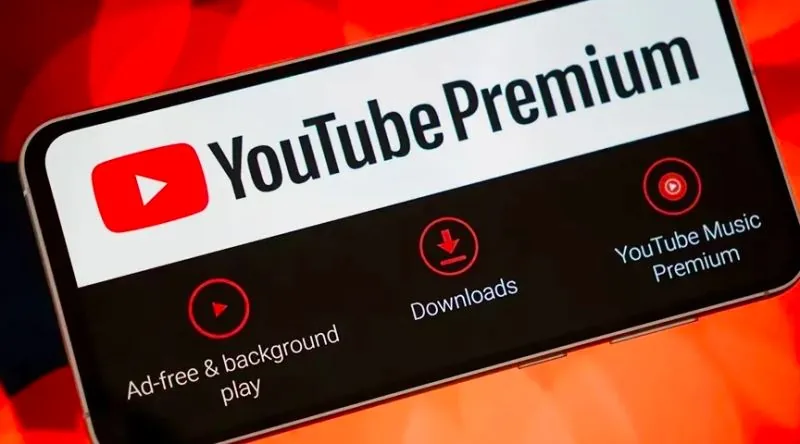
YouTube Premium features have quietly expanded well beyond ad-free viewing, and recent reports describe a subscription that now bundles high-quality audio, jump ahead navigation, Shorts smart downloads, picture-in-picture, and AI-powered recommendations. Most subscribers never open the settings menu, so these additions sit unused for months. The result is a service people already pay for that keeps gaining value they never notice. A few minutes in the right menus can change how the app feels every single day.
YouTube Premium has grown past ad removal. Reports describe high-quality audio, jump ahead navigation, Shorts smart downloads, picture-in-picture on mobile, and AI-driven recommendations, with platform coverage still unconfirmed for most of them. Jump ahead is the one item YouTube's own blog backs. Most subscribers simply never turn any of it on.
- Reports describe a high-quality audio option for music videos streaming at 256kbps, though that exact bitrate is unverified.
- Jump ahead lets viewers skip ahead inside a video, and YouTube's blog confirms it has rolled out on mobile and web.
- Reportedly, Shorts smart downloads store Shorts for offline viewing automatically, though this extension is unconfirmed.
- Reportedly, picture-in-picture for Shorts reached mobile devices for Premium users, though this pairing is unconfirmed.
- Reportedly, AI-powered recommendations and related tools have been folded into the Premium experience across more platforms, though this is unconfirmed.
YouTube Premium Quietly Got a Batch of New Features
According to a post dated October 15, 2025, on the Turkish site Ekşi Şeyler, a batch of YouTube Premium features arrived that most subscribers had never noticed. The piece, credited to a user posting under the handle "bilisimci geldi hanim," displayed 13.4 thousand reads and 305 shares at the time of writing, and it pointed readers back to a Google support thread from the YouTube team as its source. No splashy keynote, no pop-up announcement. Just a quiet list of upgrades that had already been switched on.
That is how a lot of YouTube Premium features show up these days. The company ships them, updates a help page, and lets people discover the changes on their own. So what actually landed? Here is the short version.
Jump ahead
YouTube's own blog confirms the "jump ahead" tool, which lets you skip forward inside a video to reach the part you want without scrubbing blindly. It has rolled out on mobile and on the web.
Higher-quality audio
According to the original account, music videos can now play in high-quality audio at 256kbps. That exact bitrate and its specific tie to music videos could not be confirmed against official documentation.
Smart downloads for Shorts
The post describes smart downloads pulling recommended Shorts onto your phone automatically, so they keep playing even when you are offline. Smart downloads is a genuine Premium feature, but whether it extends to Shorts this way is unconfirmed.
AI help and multi-platform reach
Reportedly, AI tools can answer questions about what you just watched and suggest related content on more platforms. Picture-in-picture for Shorts across different mobile systems is also described, though that pairing is unconfirmed.
The footnote in the original post points to a support page for deeper detail on iOS, Android, Smart TV and game console coverage of these additions. Whether that documentation covers all four categories as a single set is unconfirmed. One of these YouTube Premium features is solidly documented, and the rest arrived with far less fanfare than you would expect for a paid tier.
Jump Ahead: The One Feature YouTube Actually Confirmed
If you have ever scrubbed a progress bar with your thumb, hunting for the exact moment a video finally gets to the point, YouTube built something for you. The feature is called "jump ahead," and it lets you skip through a video and land on the part you actually want. The best part? YouTube's own blog confirmed it, which makes it the one item on this whole list with official backing behind it.
Here is how it works in practice. You are watching something long, a lecture, a review, a match recap. Instead of dragging the little red dot and guessing, jump ahead moves you forward through the timeline and drops you at the segment you were after. No hunting, no re-watching the same thirty seconds three times.
And it is not locked to your phone. According to YouTube's official blog, the feature rolled out on mobile and on the web, so your desktop browser gets it too. That matters more than it sounds. Most "new feature" announcements quietly skip the browser crowd, and plenty of us still watch on a laptop with ten tabs open.
What makes jump ahead the safe bet
- It skips you through a video and lands you on the section you want.
- It works across different platforms, web browsers included.
- It is the only item here confirmed on YouTube's official blog.
That last point deserves a pause. The rest of the YouTube Premium features floating around the internet, the AI helpers, the smart downloads for Shorts, the high-quality audio numbers, tend to arrive without a paper trail. Jump ahead arrived with one. When a company puts a feature on its own blog, it is telling you this one is real, shipped, and here to stay.
So the next time a video buries its payoff eight minutes in, you have a way around it. Tap, skip, land. That is the whole trick, and for once, nobody has to take anyone's word for it.
256kbps Audio and AI Tools: Reported, Not Yet Official
Two of the most exciting items on that October 15, 2025 list are also the two you cannot point to in any official YouTube help page. The first is a claim that YouTube Premium now streams music videos at 256kbps high-quality audio. The second is a claim that Premium subscribers get AI tools which answer questions about whatever they just watched and then recommend related content across more platforms. Both surfaced in the original roundup of YouTube Premium features. Neither has been nailed down by official documentation, so treat them as reported rather than shipped.
Start with the number itself. A 256kbps bitrate would be a meaningful step up for anyone who has ever grimaced at a thin-sounding music video on a phone speaker, and it is exactly the kind of detail that spreads fast because it sounds precise. That precision is the problem. The specific figure of 256kbps, and its application to music videos in particular, could not be reliably confirmed against YouTube's own documentation. So the honest version is this: a high-quality audio tier for music content is plausible and fits the direction Premium has been heading, but the exact bitrate is unverified. Do not repeat it as settled fact.
The AI claim is even fuzzier, and it is the one most likely to get repeated badly. According to the original account, Premium subscribers would be able to use AI tools that answer questions about the content they just watched and suggest related videos, and those tools would reach more platforms than before. YouTube has experimented with AI features tied to Premium, so the direction is not fantasy. But this specific capability, as a broadly shipped feature available to paying subscribers, could not be confirmed. The phrase "more platforms" is doing a lot of work in that sentence and deserves a raised eyebrow.
What the list promises vs. what is confirmed
| Claim | Status |
|---|---|
| 256kbps high-quality audio for music videos | Reported, unverified |
| AI tools answering questions about watched content | Reported, unverified |
There is a pattern worth noticing here, and it explains why this cluster of YouTube Premium features feels slippery. The concrete, checkable additions, like the jump ahead navigation confirmed on YouTube's own blog, sit right next to promises that read like a roadmap rather than a changelog. Audio bitrates and AI assistants are the easy headlines. They are also the easiest to overstate.
So if you go looking for that 256kbps toggle, or for an AI that knows what you just watched, and you cannot find either one, you are not missing a setting. You are running into the gap between what a feature list says and what a support page will actually confirm.
Shorts, Smart Downloads, and Picture-in-Picture Across Mobile Operating Systems
Picture-in-picture and smart downloads are genuine YouTube Premium features. Whether they extend specifically to YouTube Shorts across different mobile operating systems is another matter, and the original account of these additions, published on October 15, 2025, presents the Shorts angle as something users are told to expect rather than something spelled out in official documentation.
The pitch sounds great if you spend your commute underground. According to the original account, smart downloads for Shorts would automatically pull recommended Shorts onto your phone so you keep watching even when you drop offline. Think about how that would actually feel: the train enters the tunnel, the signal dies, and the feed keeps rolling because the app already grabbed the next batch of clips for you. That is the promise. Whether smart downloads treats Shorts as its own category or simply folds them into the same offline queue Premium has used for longer videos remains unconfirmed.
Picture-in-Picture on Different Mobile Operating Systems
The same account describes picture-in-picture for Shorts working across different mobile operating systems, letting a clip shrink into a corner window while you do something else on the phone. Picture-in-picture itself is well established on mobile, so the interesting claim is not the feature but the coverage. The note in the original piece points readers toward support pages for iOS, Android, Smart TV, and game consoles, though whether that documentation addresses these particular features as a set is not something the account confirms.
There is a real distinction worth holding onto here. Smart downloads exists. Picture-in-picture exists. Both sit inside the broader bundle of YouTube Premium features, alongside the offline viewing and background playback subscribers already pay for. The Shorts-specific behavior is where the reporting gets thin, and treating a feature's general existence as proof of its Shorts version is exactly the kind of leap that leaves people hunting through settings menus for a toggle that may not be there.
What to Check Before You Rely On It
If offline Shorts matter to your daily routine, open the Premium settings on your own device and look for the downloads section directly rather than trusting a secondhand summary. Platform support tends to roll out unevenly, and a feature confirmed on one operating system says nothing certain about the next.
Where the Features Work: iOS, Android, Smart TV, Consoles
Here is the honest answer about platform coverage for these new YouTube Premium features: the details are thinner than you would hope. The original write-up on these additions included a footnote pointing readers toward a separate link for more thorough support information covering iOS, Android, Smart TV, and game consoles. Whether that documentation actually addresses all four of those categories as a complete set for these specific features is something the available material does not confirm.
What we can say with more confidence is where the announcement itself came from. The cited source is a YouTube team support thread titled "Bringing our latest Premium features to more places," which is exactly the kind of post that tends to accompany a phased rollout rather than a single global switch-flip. That framing matters. When a company says it is bringing features to "more places," it usually means availability is spreading out over time and across device types, not that every subscriber on every screen gets everything on the same day.
So the practical takeaway for anyone trying to figure out if these features are live on their setup is to treat the platform question as genuinely open. The jump ahead navigation is confirmed as reaching mobile and web, since YouTube's own blog documents that rollout. Beyond that, the broader claim that the new features are supported across iOS, Android, Smart TV, and consoles as a group remains reported rather than verified. If you are checking on a smart TV or a game console specifically, the support thread is the place to look, and the answer may depend on which device and which region you happen to be in.
The pattern here is worth noticing: a feature can be real and still be unevenly distributed. Premium subscribers on one phone may see something a subscriber on a console does not, at least for a while.
Frequently asked questions
What new YouTube Premium features are being reported?
According to the original account, several additions arrived quietly: a jump ahead navigation tool, high-quality audio listening, smart downloads and picture-in-picture for Shorts, and AI tools that respond to questions about what you have watched. The jump ahead feature is the one YouTube's own blog confirms, having rolled out on both mobile and web.
How does jump ahead actually work?
Jump ahead lets you skip through a video to reach the exact part you want instead of scrubbing blindly along the progress bar. YouTube's official blog confirms the feature has rolled out on mobile and on web browsers, so the same effortless navigation now follows you between your phone and your laptop.
Is the 256kbps audio quality official?
The 256kbps figure comes from the original account of the update, which describes listening to music videos in high-quality audio. It has not been confirmed against official documentation, so treat the exact bitrate as an unverified detail rather than a spec sheet number you can rely on.
Were Shorts smart downloads available before?
Smart downloads itself is a genuine YouTube Premium feature. What remains unconfirmed is whether it specifically extends to Shorts rather than longer videos, so the idea that recommended Shorts download automatically for offline viewing is best read as an unverified extension of a real tool.
Do these features cover iOS, Android, Smart TV and game consoles?
YouTube Premium exists across those platforms, and the original account points readers toward a support page for more detail on iOS, Android, Smart TV and console coverage. Whether that documentation covers all four as a set for these particular features is unconfirmed, so check the support thread before assuming parity. Editorial note: Details that remain unconfirmed, including exact rollout timing and device-by-device availability, are presented as such and may vary by region and app version.
Got a take on this? Add your voice to the conversation below →
No comments yet. Be the first.