View Deleted WhatsApp Messages on Android: Notification History Trick
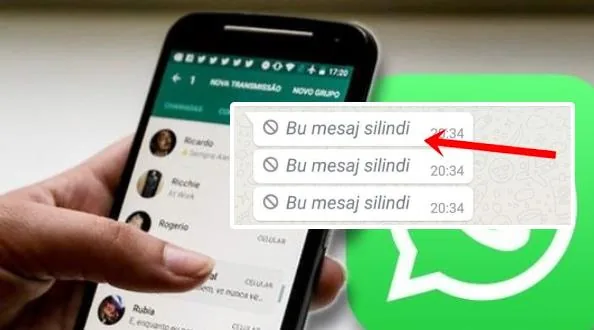
You can sometimes view deleted WhatsApp messages on Android by checking your phone's notification history, a built-in feature that logs alerts before senders remove them. Android 11 and later devices can keep a record of notifications, including the WhatsApp messages that vanish from your chat. That means the "This message was deleted" placeholder does not have to be the end of the story. If your phone logged the alert, the message text may still be sitting quietly in your system settings.
On Android 11 and later, the Notification History feature can sometimes show you the content of WhatsApp messages that were deleted after they arrived. The same log is often claimed to reveal canceled Instagram friend requests, but that part does not hold up. The menu path varies by device, so treat any set of steps as a lead rather than a guarantee.
- Notification History became a standard Android feature with Android 11 and remains available on most phones running that version or later.
- The feature logs notifications from apps like WhatsApp for a limited period that varies by device.
- Deleted WhatsApp messages can only be recovered this way if the notification was logged before the sender removed the message.
- Canceled Instagram friend requests do not appear in the Notification History log, because the log only holds alerts that were actually delivered.
- No backup or third-party app is required to check the log, only access to the phone's Settings menu.
The Message You Saw Vanish
Picture it: your phone buzzes with a WhatsApp notification, you tap it, and the chat shows nothing but a small gray line that says "this message was deleted." Someone typed something, sent it, and pulled it back before you could read a word. Now you are left holding a blank space and a question that will not leave you alone.
That exact scene is where a short tech tip begins. It ran in a technology channel and the page displays a date of 10 Eylül 2024, which is September 10, 2024, though that date could not be independently confirmed. The page also showed read and share counts in the thousands, modest numbers that fit a quick practical note rather than a deep dive.
The author, posting under the handle charlochar, is upfront about one thing before anything else. This trick is for Android phones. Not iPhone. That line matters, because the two systems handle notifications in completely different ways, and a method that works on one will leave you hunting through menus that simply are not there on the other.
So what is the promise? The tip says that if you want to view deleted WhatsApp messages on Android, there is a path that may still hold the text you missed: Settings, then Notifications and status bar, then More settings, then Notification history. The idea is that your phone quietly logs the notifications it delivered, even after the sender wipes the message from the chat itself. Treat that as a claim rather than a guarantee. Android's notification history, which arrived with Android 11, does sometimes keep dismissed notification text, but the exact menu path shifts from one device maker to the next, and it is not a dependable way to recover a deleted WhatsApp message.
The tip goes further and says the same spot can reveal a canceled Instagram friend request. That part does not hold up. Notification history only stores notifications that were actually delivered to you, so it has no way to show that a request was later withdrawn.
Still, the curiosity is real, and it is easy to see why the note found an audience. A deleted message is a small mystery sitting in your pocket, and the impulse to solve it is almost universal.
The Android Menu Path Worth Trying
On Android phones, one widely shared recipe claims you can see a deleted WhatsApp message through a specific chain of menus: Settings, then Notifications and status bar, then More settings, then Notification history. That is the method the tip put forward, and it is worth examining closely before you go hunting through your phone.
In the original wording the steps read Ayarlar, Bildirimler ve durum çubuğu, Daha fazla ayar, Bildirim geçmişi, which translates to the English sequence above. The author frames it simply: someone sends you a message and deletes it almost instantly, you see the "this message was deleted" placeholder, and you want to know what it said. According to that account, the notification log is where the answer lives.
Here is where you should slow down. Independent fact-checking rates this claim as questionable, and the reasons are practical rather than technical nitpicking. First, the exact menu path is not universal. Android skins vary wildly from one manufacturer to the next, so the labels you see on a Samsung, a Pixel or a Xiaomi will not match word for word. Second, and more importantly, notification history is not a recovery tool. It is a log, and logs only hold what actually arrived.
The feature itself is real. Notification history landed with Android 11, and it can sometimes retain the text of a notification you dismissed without reading. That is genuinely useful. But it captures nothing more than what was delivered as a notification in the first place. If the sender deleted the message before the notification fired, or if you had notifications muted for that particular chat, there is simply nothing in the log to find. The screen will be empty, and no amount of retracing the menu path will change that.
The original account also does not address a very common scenario: what happens if you have already cleared your notifications. Swipe them away, tap "clear all," and the history may no longer hold what you were hoping to recover. So treat this path as one possibility among several rather than a guaranteed trick for how to view deleted WhatsApp messages on Android.
The menu path is worth trying, but it is a claim, not a promise. Notification history can surface text from a notification you dismissed. It cannot conjure a message that was never delivered to your phone.
The Instagram Friend Request Claim
The same advice, the one about digging through your Android phone's notification history to view deleted WhatsApp messages on Android, came with a second promise attached. According to that account, you could also use the identical menu path to uncover an Instagram friend request that someone sent and then quietly withdrew, if you happened to miss who it was. That part does not hold up.
Here is the problem. Android's notification history is a log, and a log only records what actually arrived on your screen. A friend request that was sent and then canceled before it ever produced a delivered notification leaves nothing behind. There is no shadow entry, no ghost row, no half-record waiting for you to scroll down and find it. If the notification never landed, the history has nothing to show.
So the popular version of this tip, the one that says the same screen handles both WhatsApp and Instagram, overreaches. It works, sometimes, for messages that were delivered and then deleted, because the text was briefly on your lock screen or in your shade before it vanished. It cannot work for a request that was pulled back before it ever reached you. The log simply is not built that way, and no amount of tapping through your settings will change that.
Worth keeping in mind before you spend ten minutes hunting for a name that was never written down in the first place.
What the Trick Can and Cannot Do
Notification history is a log, not a backup. That single distinction decides everything about whether you can view deleted WhatsApp messages on Android. The log records the text of notifications that actually reached your phone and were captured by the system. It does not store the messaging app's own data, and it does not reach into WhatsApp's servers on your behalf.
So picture the limits one by one. If a message was deleted before its notification ever arrived, there is nothing in the log to find. If you swiped the notification away before Android logged it, same story. And if the entry has aged out of the log, it is gone from that list too. The method only ever shows you what your phone already saw.
There is a hard floor here as well: notification history did not exist before Android 11, so messages deleted on earlier versions of the operating system cannot be recovered this way at all. No log, no entry, no trick.
And the menu path itself, the one running through Settings, Notifications and status bar, More settings, and finally Notification history, is not carved in stone. That is where the option is said to live, but the exact wording and placement shift from one device to the next. Treat it as a lead, not a guarantee.
What the method is definitely not is a substitute for a proper WhatsApp backup. Notification history is not a reliable replacement for backing up your chats, and nothing in the original claim suggests it works without one. It is a lucky glance at a leftover, not a recovery plan.
One more thing worth sitting with before you go digging. That same log holds the text of every notification your phone has received, not just the one you are chasing. Your bank alert, your two-factor code, a private message from someone else. All of it, sitting in a list you can scroll. Handy when you need it, and a privacy trade-off you are making without even realizing it.
Frequently asked questions
What is Android's notification history and where can I find it?
Notification history is a feature Google added in Android 11. It logs notifications your phone actually delivered, so you can scroll back through them later. The menu path the tip points to runs through Settings, then Notifications and status bar, then More settings, then Notification history, though the exact wording shifts from one manufacturer to the next.
Can I really view deleted WhatsApp messages on Android with notification history?
Sometimes, and only under narrow conditions. As the story goes, if a WhatsApp message actually reached your phone as a notification and that notification was retained in the log, its text can still be sitting there after the sender deletes it. Treat this as a lucky break, not a dependable recovery method.
Does notification history work if I already cleared my notifications?
Probably not. The feature stores notifications that were delivered and kept, and wiping your notification shade generally wipes the record along with it. If you swiped the message away before checking the log, there is usually nothing left to find.
Can I use notification history to see a canceled Instagram friend request?
No. Contrary to the popular version of this tip, notification history only stores notifications that were actually delivered, so it cannot reveal that an Instagram friend request was later withdrawn. If the request never generated a notification on your device, there was never anything for the log to hold on to.
Can I recover deleted WhatsApp messages without a backup?
Not reliably. Notification history is a peek at delivered notification text, not a message archive, and it is not a dependable recovery method. Your realistic options remain a WhatsApp chat backup or the sender simply telling you what they wrote.
Do all Android phones have notification history?
No. The feature requires Android 11 or later, so older devices are out of luck. Even on supported phones, the menu path varies by manufacturer, which is why two people following the same instructions can end up staring at completely different screens. Editorial note: Details that could not be independently confirmed, such as exact retention windows on specific devices, are presented as approximate and may vary by phone model and Android version.
Got a take on this? Add your voice to the conversation below →
No comments yet. Be the first.