MacBook Air Advantages: 30 Reasons It Beats Windows Laptops
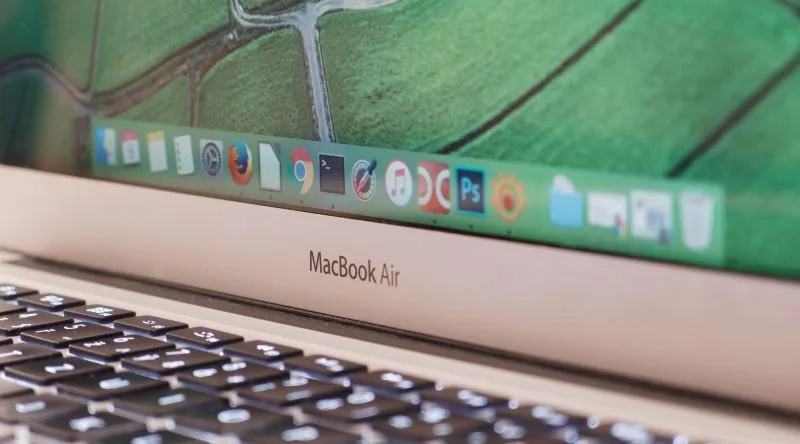
A longtime Apple user has compiled 30 concrete MacBook Air advantages over Windows laptops, covering real-world battery life, build quality, and daily usability, based on years of side-by-side comparisons. This breakdown comes from someone who switched fully in 2021 and never looked back, and it speaks to anyone tired of plastic chassis, dying batteries, and sluggish wake times. You will find honest, practical reasons that make the MacBook Air feel like a smarter investment, even if you have been a Windows loyalist for years.
A dedicated Apple user lists 30 ways the MacBook Air outperforms Windows laptops, highlighting superior battery life, premium aluminum build, a best-in-class trackpad, instant sleep-wake behavior, and stronger resale value. The list draws on everyday usage since 2021, covering hardware longevity, free productivity software, and built-in security tools that Windows machines often lack out of the box.
- The MacBook Air M1 retains strong battery health after two years of daily use, a claim many Windows ultrabooks cannot match.
- The aluminum unibody chassis of the MacBook Air feels more premium than the plastic builds found on many Windows laptops in the same price range.
- The MacBook Air trackpad is widely regarded as the most accurate and responsive trackpad on any laptop, beating most Windows touchpads.
- MacBook Air speakers deliver clearer, fuller audio than the tinny output from many Windows gaming laptops like the Asus TUF series.
- The MacBook Air holds significantly higher resale value after five years compared to most Windows laptops, making it a cheaper long-term ownership option.
The MacBook Air Advantages Story: A 30-Point Love Letter
On August 25, 2025, a Turkish Apple enthusiast who goes by the username thedewil published a first-person account on Ekşi Şeyler listing 30 reasons why the MacBook Air beats comparable Windows laptops. The author has been using computers since 1996 and bought their first laptop in 2006, so this is not a newcomer's honeymoon phase. This is someone who has watched the industry evolve for nearly three decades and still chooses Apple's ultraportable as their daily driver.
The laptop at the center of this story is a 2020 M1 MacBook Air, which the author describes as "still working like the day I bought it." That is a bold claim for a laptop that has been through years of daily abuse, but it sets the tone for the entire list. The author frames the MacBook Air advantages not as marketing bullet points but as lived experience, the kind of observations that only surface after thousands of hours of real-world use.
The list itself reads like a conversation with a friend who cannot stop raving about their favorite gadget. It covers everything from battery life and build quality to the absence of bloatware and the magic of a trackpad that makes a mouse feel obsolete. Some points are technical, like the 2560x1600 resolution on the 13-inch display, while others are purely emotional, like the satisfaction of a laptop that does not force you to restart after every software update.
What makes this account particularly compelling is the author's willingness to name specific frustrations with Windows machines. There is a story about an HP laptop with a misplaced comma key, a complaint about Asus TUF speakers that sound like a single earbud, and a rant about the constant restart demands that plague Windows updates. These are not abstract criticisms; they are the accumulated annoyances of someone who has genuinely tried both ecosystems.
The author also touches on the practical realities of ownership, like resale value and service center experiences. The claim about spare parts being easy to find and repair centers never refusing 5-year-old computers is one user's story, since parts availability can vary by model and region. But the broader point about Apple's longevity stands: the M1 MacBook Air launched in November 2020 and continues to receive new macOS updates, which is more than many Windows laptops can claim after just a couple of years.
For anyone considering a laptop purchase, this 30-point list offers a window into what daily life with a MacBook Air actually feels like. It is not a spec sheet comparison or a benchmark showdown. It is a love letter written by someone who has been at the keyboard long enough to know exactly what matters and what does not.
Longevity and the 2020 M1: Why the MacBook Air Lasts Longer
The 2020 M1 MacBook Air, released in November of that year, still receives new macOS updates, which is a genuine advantage for anyone who hates feeling forced to upgrade. That is a verified fact: Apple has kept this machine in its supported lineup, and it continues to get the latest features and security patches. Few laptops from that era can claim the same.
The author of the original account, who says they have been using computers since 1996, makes a broader claim: that MacBooks have the longest lifespan among computers, both in hardware and software. They argue that other companies abandon devices after two years, or even one, with no bug fixes or driver updates. That part is not supported by evidence. Many Windows OEMs, including Dell, Lenovo, and HP, offer driver and BIOS updates for three to five years after a model's release. So while Apple's support window is certainly generous, the idea that everyone else drops support after a year or two does not hold up.
The author also claims that Windows offers no driver support for version upgrades, like moving to Windows 11. That is false. Windows Update and OEM tools do provide driver compatibility during major upgrades, though it is fair to say the experience is not always seamless. The author's frustration is understandable, but the blanket statement is not accurate.
On the hardware side, the author reports no problems after two years of heavy use: no broken hinge, no dust-filled fan, no overheating shutdowns. That is a personal experience, and a positive one, but it is not a universal guarantee. The author also claims that spare parts are easy to find and service centers do not refuse repairs for five-year-old computers. That is their experience, though parts availability can vary by model and region, so treat that as one user's story rather than a hard fact.
What is verifiable is the power efficiency. Independent tests show the M1 MacBook Air draws roughly two to four times less power than a comparable Intel-based ultrabook, which matches the author's claim. The machine is fanless, so it runs silent and generates minimal heat. That is a real, measurable difference, and it is one of the reasons the M1 Air has aged so well.
The longevity story is not just about software updates. It is about the hardware holding up, the battery still lasting, and the machine feeling as responsive as the day it was unboxed. For the author, that has been the reality. For anyone shopping for a used laptop in 2025, the M1 Air remains a compelling option, and that is a strong point in favor of the MacBook Air advantages when compared to other ultrabooks.
Battery, Power, and the Silent Fanless Design
The MacBook Air advantages start with something you can feel the moment you open the lid: silence. There is no fan whirring up, no hot air blasting from a vent, no spinning-up noise when you push the machine hard. The M1 and later MacBook Air models are completely fanless, which means they run quiet in every sense of the word, and they barely warm up even during demanding work.
That fanless design is possible because of how efficient the silicon underneath is. Independent tests have confirmed that the M1 MacBook Air draws roughly 2 to 4 times less power than a comparable Intel-based ultrabook doing the same task. That efficiency translates directly into battery life, which is where this laptop has built its reputation. The author of the original account reports that after two years of heavy daily use, with 359 charge cycles logged, their battery health sat at 83 percent and still delivered around 5 to 6 hours of work. Battery degradation does vary from unit to unit, so your mileage may differ, but the general picture holds up: this machine sips power rather than gulping it.
The weight is another quiet triumph. The M1 model tips the scales at 1.29 kg, and newer versions are even lighter at 1.24 kg. For context, that is roughly the weight of just the power adapter on many competing laptops. You can slip it into a bag and forget it is there, and because it charges over USB-C, a phone charger can bail you out in a pinch.
One small detail the author highlighted stands out as particularly thoughtful. The MacBook Air automatically adjusts both the keyboard backlight and the screen brightness based on ambient light. No function keys to hunt for, no settings menu to dig through. You open the laptop in a dim room and the keys glow at just the right level. Walk into bright sunlight and the display compensates on its own. It is the kind of feature that disappears into the background, until you use a machine that does not have it and suddenly notice every manual adjustment you have to make.
The Display, Trackpad, and Speakers: The Sensory Experience
The 13.3-inch MacBook Air packs a native resolution of 2560x1600 into its display, which works out to roughly 227 pixels per inch. That density means text looks crisp, images hold their detail, and the screen simply feels like a window rather than a monitor. You would be hard pressed to find a better panel on another laptop in this class, and the color quality holds up for design work too, not just casual browsing.
Then there is the trackpad, which the author flat out calls a magnificent invention. It is the kind of component that convinces you a computer can work without a mouse at all. The gesture support feels natural, the surface is generous, and the haptic feedback makes every click feel physical. Switching back to a Windows touchpad after getting used to this one is jarring. You press down, nothing gives, the cursor drifts, and the whole thing feels cramped. The MacBook Air trackpad does not just work; it disappears into whatever you are doing.
Sound is where the experience gets interesting. The speakers deliver a stereo image that the author compares to a Bluetooth speaker, and honestly, the separation is noticeable. You can hear the width of the mix, not just a single channel bleeding out of one corner. That is a subjective call, of course, since speaker quality always depends on what you are comparing it to, but the point stands that the Air sounds far bigger than its frame suggests. The contrast comes when the author switches to an Asus TUF series laptop for gaming. That machine sounds like listening with one earbud, flat and narrow, with none of the spatial presence the MacBook Air manages so effortlessly.
The camera holds up fine, and newer models improve on it further. The microphone setup, though, is worth a closer look. The author incorrectly claims two separate microphones handle noise cancellation. The actual hardware uses a three-microphone array with beamforming. That means the system listens in a specific direction and filters out the rest, which is why online meetings stay clear even in a noisy room. The precise count matters less than the result: voices come through clean, background chatter fades, and you do not sound like you are calling from a coffee shop.
All of this adds up to a machine that feels considered. The display, the trackpad, the speakers, they all work together to make the MacBook Air advantages obvious the moment you sit down with one. Nothing fights you, nothing feels like a compromise, and the sensory experience quietly becomes the reason you stop noticing the hardware at all.
Ecosystem, Software, and the AI Advantage
The MacBook Air's real magic shows up the moment you own another Apple device. Your iPhone becomes a webcam with zero setup, your iPad turns into a second screen, and when your phone rings, you answer it right from the MacBook's keyboard. Copy something on the laptop and it's instantly on your clipboard on the phone. The pieces just talk to each other without you ever opening a settings menu.
Underneath all that polish sits something developers adore: macOS is Unix-based. That means command-line tools that often refuse to cooperate on Windows run flawlessly here. For anyone who does any coding, it's a gift that keeps giving.
Then there's the AI advantage, and this one is genuinely impressive. Windows machines separate your RAM from your GPU's memory, so when you run an AI model, you're capped by that smaller GPU pool. A machine with 24GB of RAM plus 6GB of GPU memory can only feed models that fit in that 6GB. The MacBook Air uses unified memory, meaning the CPU and GPU share the same full RAM pool. All of it is available for your AI workloads, which changes what you can run locally.
Apple also bundles serious software for free. Pages, Numbers, and Keynote handle your document needs without a subscription, while iMovie edits video and GarageBand records music. All five are completely free, no trial period, no watermark.
Security works differently here too. macOS runs apps inside a sandbox, so they can't reach into your system directly. Instead, each app must ask permission individually for screen recording, webcam access, or microphone use. You always know exactly what you're approving. That said, the old advice about uninstalling by dragging an app to the trash is not a complete uninstall. The app icon disappears, but preference files and caches often linger behind, so it's not a perfectly clean removal.
Security, Resale Value, and Everyday Practicalities
Losing a laptop used to mean losing everything on it, but with macOS, Find My Mac lets you track your device from anywhere and remotely wipe it if it falls into the wrong hands. That peace of mind alone changes how you think about carrying your computer around town. The security layer runs quietly in the background, waiting for the moment you might need it.
The resale picture is just as comforting. A five-year-old M1 MacBook Air from 2020 will always find a buyer, according to the author, while another laptop from the same era might sit unsold for weeks. The used market keeps humming because people know what they are getting, even years later.
Then there are the small daily pleasures that add up. Open the lid, touch the fingerprint sensor, and the machine is awake before your hand settles back on the keyboard. No waiting for the screen to brighten, no spinning wheel, no pause to remember a password. The MacBook Air advantages stack quietly into a routine that simply feels faster.
Out of the box, there is no junk to delete. No trial antivirus, no office demo nagging you to subscribe, no manufacturer bloatware. Windows machines sometimes ship with games like Candy Crush pre-installed, which makes you wonder who thought that was a good idea. macOS arrives clean and stays that way.
One claim worth correcting: the idea that Windows has blurry text and scaling problems while macOS never does. The author incorrectly claims this is a Windows-only issue. Both operating systems can struggle when you push them to non-native resolutions. Windows has actually improved its scaling considerably in recent versions, so this particular bragging point does not hold up under scrutiny.
Likewise, the claim that Windows demands restarts after every install or uninstall is not accurate. Most Windows applications install and remove themselves without asking for a reboot, just like on macOS. The restart ritual exists for certain drivers and system updates, but it is not the constant interruption some make it out to be.
What does hold up is the instant sleep behavior. Close the lid and the machine drifts off without complaint. Open it later and everything is exactly where you left it, no fan spinning up, no hard drive churning. The keyboard and screen brightness adjust themselves to the room automatically, so you never hunt for those function keys in the dark.
Frequently asked questions
What makes the MacBook Air last longer than Windows laptops?
The MacBook Air M1, released in November 2020, still receives new macOS updates in 2025, giving it a remarkably long software lifespan. Apple supports its devices with updates for many years, though the claim that Windows laptops get no updates after two years is simply wrong. Most Windows OEMs provide driver and security updates for three to five years, so the gap is narrower than some Apple fans suggest. The real difference comes down to consistency. Apple controls both the hardware and the operating system, so every update is tuned for the exact components inside. Windows machines depend on multiple manufacturers to coordinate driver releases, which can create friction. That said, the M1 Air's continued support in 2025 is genuinely impressive for a laptop that launched five years earlier.
How does the MacBook Air battery health hold up after two years?
One long-term user reports 83% battery health after 359 charge cycles and two years of heavy daily use, with the machine still lasting five to six hours per charge. Battery degradation varies widely depending on usage patterns, charging habits, and environmental conditions, so your results may differ. Apple's battery chemistry is solid, but no lithium-ion battery is immune to aging. The M1 Air's efficiency helps here. Because the chip draws significantly less power than comparable Intel processors, the battery doesn't work as hard during everyday tasks. That efficiency, verified in independent testing, is a key reason the MacBook Air advantages include genuinely long battery life in real-world use.
How does the MacBook Air's unified memory benefit AI model processing?
Apple's unified memory architecture lets the CPU and GPU share the same RAM pool, so an AI model can access nearly all of the system's memory. On a Windows laptop with 24GB of RAM and 6GB of dedicated GPU memory, a large language model is limited to that 6GB GPU allocation. The MacBook Air can use the full memory capacity, which makes a significant difference when running large models locally. This design is a genuine advantage for people experimenting with AI. A MacBook Air with 16GB or 24GB of unified memory can run models that would be impossible on a Windows machine with similar total RAM but separate GPU memory. The tradeoff is that Apple's integrated GPU is less powerful for other graphics workloads, but for AI inference, the memory access matters more.
Why does the MacBook Air retain its resale value better than other laptops?
The used market has strong demand for MacBook Air models, particularly the M1 versions from 2020. A five-year-old MacBook Air typically finds a buyer quickly, while comparable Windows laptops from the same era often sit unsold. The combination of long software support, durable hardware, and brand recognition keeps demand steady. Apple's premium components help too. The machines use high-quality NVMe SSDs and soldered LPDDR RAM that outperform budget laptop parts, so even older units still run well. This consistent quality means buyers trust used MacBooks more than they trust used Windows laptops, which is why the resale market stays active. Editorial note: Any facts which remain unconfirmed are presented as such, hedged to reflect the author's personal experience rather than universal benchmarks.
Got a take on this? Add your voice to the conversation below →
No comments yet. Be the first.